
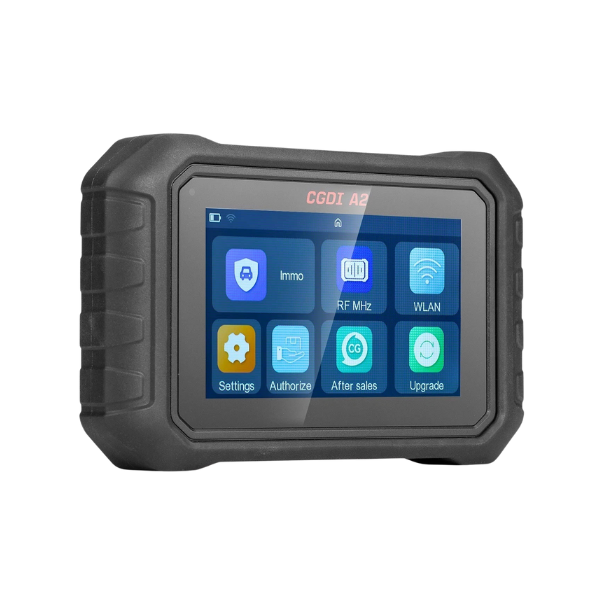
V1.15 CGDI A2 Latest Software Download and Installation Guide
CGDI A2 Features :
- Support password-free and disassembly-free matching for most vehicle models.
- Support automatic identification of Mercedes-Benz chassis numbers with rapid data collection.
- Support password-free CANFD system matching for general motors vehicles.
- Support Volkswagen MQB
- Support Mazda CX-30
- Support full smart card replacement(No physical card required) for Toyota 8A/4A systems.
- Support Honda smart key systems for models after 2021.
- Support 28-digit password-free matching for Nissan vehicles.
- Free update for BMW BDC2 systems(applicable to models from 2016 onwards).
CGDI A2 Comprehensive OBD Key Programming Tool Update Log :
V0.2.7 NEW
(2025.11.05)
1. Audi
(1) Added MQB_NEC95320 4.5 generation system, supporting 56D920861A and 56D920871A
(2) Added Johnson Controls series, supporting 34D920850C, 34D920850E, 34D920850G, 31G920850A, 31G920850B, 31G920850C, 31G920850F, 18G920860B, 18G920860
2. Geely
(1) Added Cowboy series, supporting key matching and ESK code writing/clearing functions
(2) Added 4th generation Emgrand, supporting key matching and remote control matching functions
3. Supported SAIC-GM online password 4-digit query
4. Added Li Lixiang series, supporting Li ONE smart key matching function
V0.2.5
(2025.10.23)
1. Toyota \ Lexus update and iteration
(1) Toyota/Lexus: Added the CP8X supermodel chip to generate emergency keys, supporting 8A and 4D types
(2) Toyota: Added BZ3 write start and OBD matching functions (no PIN code required)
2. Added Ssangyong series, supporting anti-theft matching function for models such as Actyon, Chairman, Korando, New Korando, Kyron, Musso, Rexton, New Rexton, etc.
3. Added Lifan series, supporting anti-theft matching function for common models such as X70, 520, 620, 630, X60, X70, Le Tu, Xuan Lang, Fushun, etc.
4. Added VMMOTORS series, supporting anti-theft matching function for WM E5, EX5, EX6, W6 models
5. Added Skylark series, supporting Skylark all-round Q1 Etech body control system, Jicheng body control system anti-theft matching
How to Install CGDI A2 Software :
-
Download the setup from the official link below.
-
Extract the file using WinRAR or 7-Zip.
-
Run
CGDI_A2_Setup.exeas Administrator. -
Follow the on-screen installation instructions.
-
After installation, restart the device.